AI & Automation
AI chat & receipt scanning
AI chat is the fastest way to add transactions and get insights about your finances — just type naturally, the way you'd send a message. AI chat requires a Premium subscription.
With AI chat you can add transactions, scan receipts, and ask questions about your money — all by typing the way you'd send a message. AI chat requires a Premium subscription.
Adding a transaction
Type the amount and what it's for — Lode figures out the rest.
coffee 4lunch 12.50salary 3000uber 8 yesterday
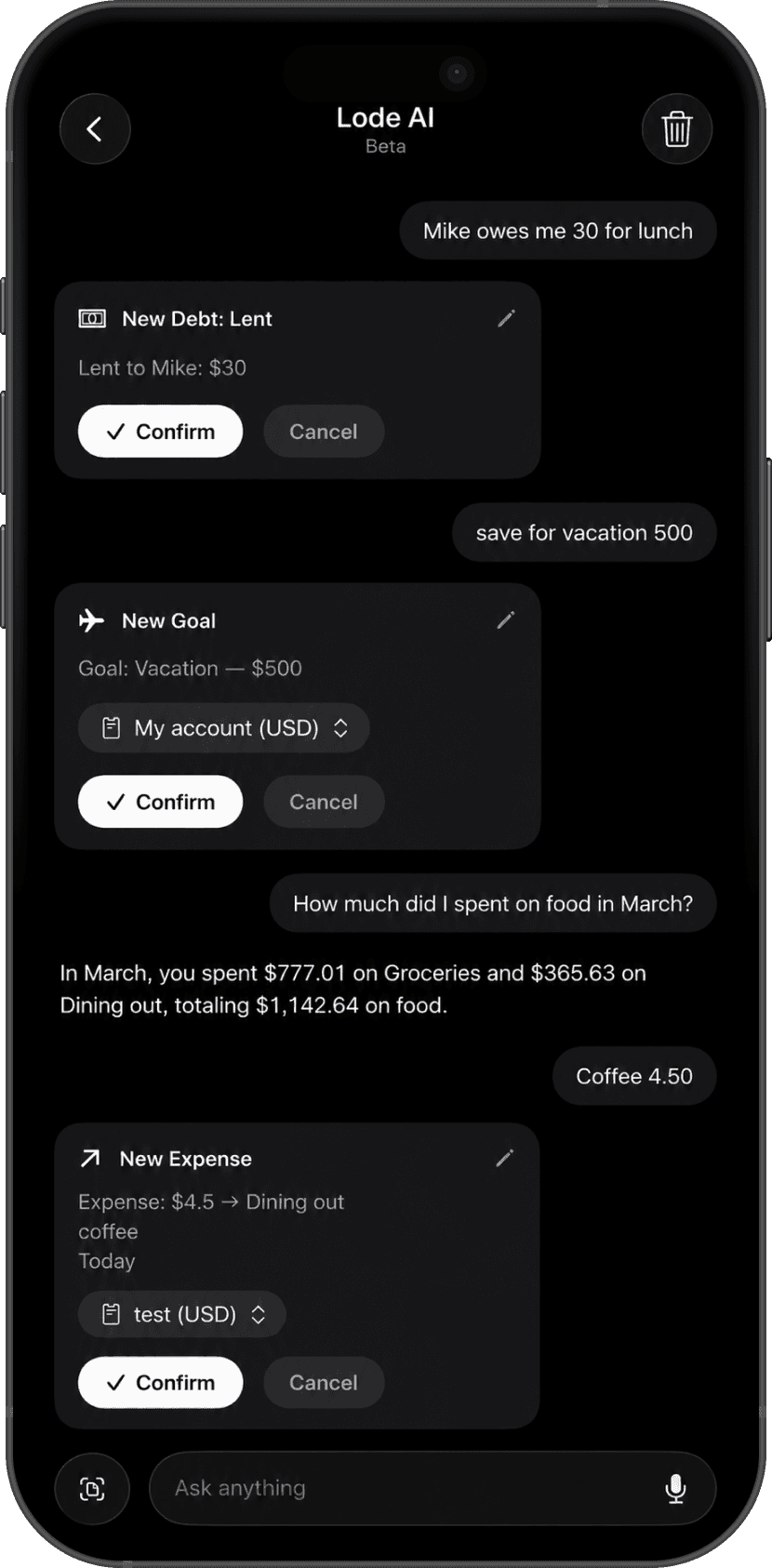
Lode will suggest a category, account, and date. You'll see a confirmation card before anything is saved — review it and tap Confirm, or edit any detail right there.
Adding multiple transactions at once
Separate items with a comma and Lode will create them all in one go.
coffee 4, lunch 12, gym 40
Each transaction gets its own confirmation card. You can confirm or cancel them individually, or use Confirm All.
Scanning a receipt
Tap the camera icon and take a photo of a receipt. Lode will read the amount, store name, and date automatically. Works best with clear, well-lit photos of printed receipts.
Asking questions
AI chat can answer questions about your finances.
How much did I spend on food this month?What's my biggest expense category this year?Am I on track with my budget?
Creating other things
Beyond transactions, you can create goals, debts, and bills the same way.
New savings goal: vacation, 2000I owe John 150Add monthly bill: Netflix 15
Voice input
Tap the microphone icon to dictate instead of type. Everything works the same way — just speak naturally.
Tips
Lode learns your habits over time — the more you use it, the faster it recognizes your categories. If something was created incorrectly, just type what to change and Lode will fix it. You don't need to use exact category names — Lode understands context.
Questions? Reach out — we're happy to help.