Widgets & Shortcuts
Home screen & lock screen widgets
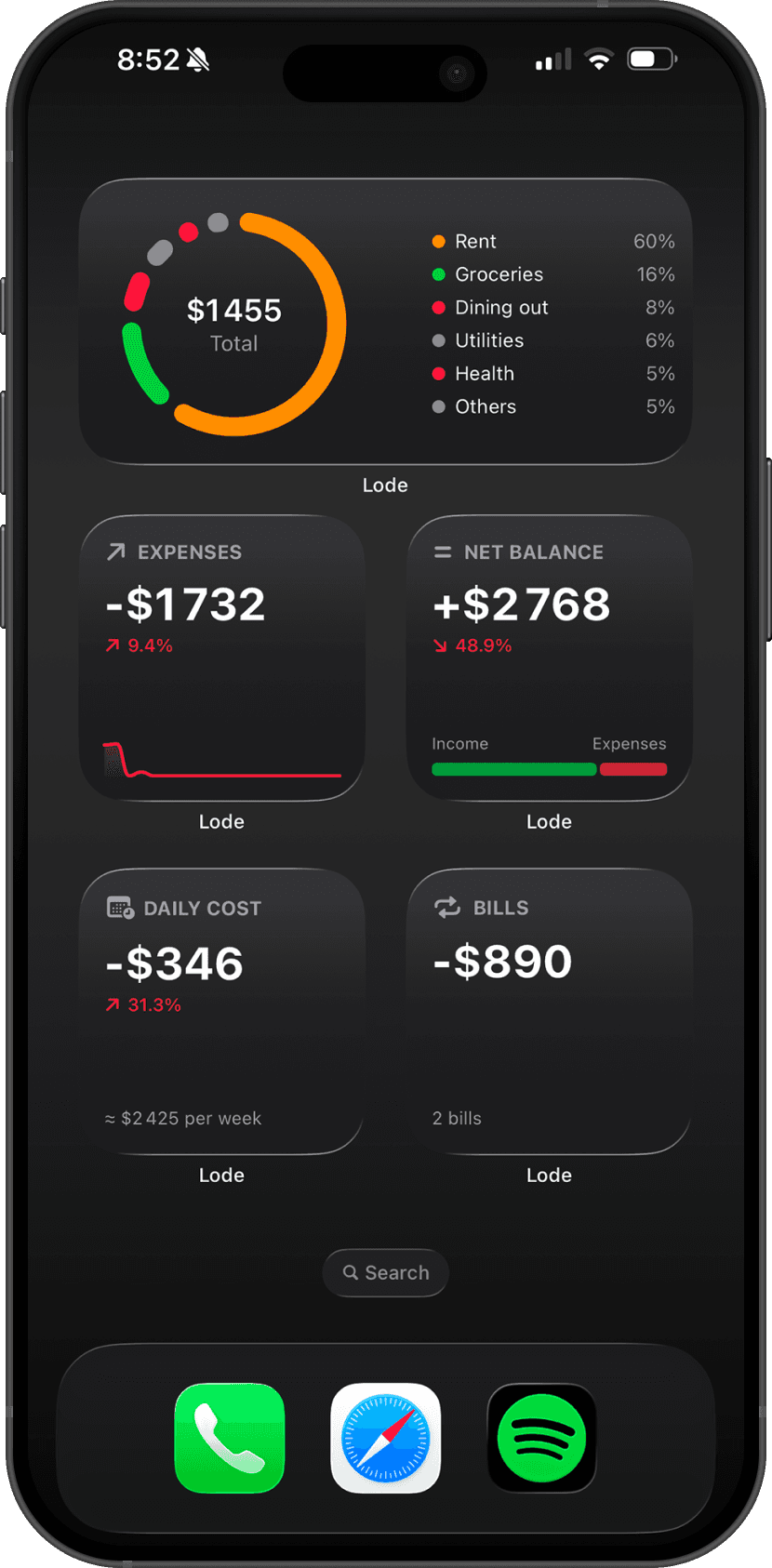
Add Lode to your Home Screen, Lock Screen, and Control Center with 13 WidgetKit widgets and two Control Center shortcuts.
Lode includes 13 widgets for your Home Screen and Lock Screen, plus two Control Center shortcuts.
Home screen widgets
Long-press the Home Screen, tap +, and search for Lode.
Small widgets:
Income — monthly income at a glance
Expenses — monthly expenses at a glance
Net Balance — income vs expenses comparison
Bills — recurring bills total for the month
Daily Cost — average daily spending
Trend — income and expense trend chart
Debts — lent and borrowed overview
Goals — active savings goals progress
Medium widgets:
Categories — expense breakdown by category
Budget — monthly budget progress
Lock screen widgets
Long-press the Lock Screen, tap Customize → Add Widgets, and search for Lode:
Quick Glance — key numbers at a glance (rectangular)
Quick Convert — one-tap shortcut to the currency converter (circular)
Lode — launcher shortcut to open the app (circular)
Control Center shortcuts
Open Settings → Control Center and add:
Add Transaction— opens the transaction editor from anywhereQuick Convert— opens the currency converter
Widget data
Widgets refresh automatically in the background and update each time you open the app.
Questions? Reach out at lodeapp@proton.me.